Six Blog Security Steps to Stop Most Automated Attacks
Six Blog Security Steps to Stop Most Automated Attacks

Six controls stop the overwhelming majority of automated attacks against blogs: force HTTPS sitewide with HSTS, require multi-factor authentication (MFA) on every administrative account, run automated off-site backups, keep the CMS and its plugins patched, put a WAF or CDN in front of the site, and enable core security headers. Each one closes a door that bots scan for constantly, not occasionally. Blog security in 2026 is less about exotic threats and more about closing these known gaps before a scanner finds them.
- Force HTTPS sitewide (HSTS) — blocks traffic interception and mixed-content exploits.
- Enable MFA on admin accounts — stops credential-stuffing takeovers cold.
- Automate off-site backups — guarantees recovery even if everything else fails.
- Patch CMS, themes, plugins — closes the vulnerabilities bots specifically hunt.
- Add a WAF/CDN — filters malicious requests before they hit your server.
- Enable security headers — shuts down clickjacking and injection vectors.
Key Takeaways
Blog security in 2026 depends on layering HTTPS, MFA, automated backups, patching, a WAF, and security headers, then maintaining those layers continuously rather than treating them as a one-time setup.
| Point | Details |
|---|---|
| Six table-stakes controls | Force HTTPS/HSTS, enable MFA, automate off-site backups, patch software, add a WAF/CDN, and turn on security headers. |
| Server-first, plugins second | Harden hosting and server configuration before relying on plugins for protection. |
| Test backups, don't assume | Restore your backup to staging regularly to confirm it actually works before you need it. |
| Least privilege for every account | Audit user roles quarterly and strip access down to what each person's job requires. |
| Automated attacks don't discriminate | Small traffic offers no protection since scanning bots target unpatched software indiscriminately. |
Where to Go for Deeper Blog Security Guidance
Consult OWASP for application security fundamentals, MDN for header implementation, and Bruce Schneier's writing on third-party script risk for a deeper look at vendor auditing. WordPress's own security guidance covers platform-specific hosting and backup steps.
Table of Contents
- Your Blog Security Checklist: 30 Minutes, 2 Hours, and a Full Day
- How Do You Implement Each Layer of Blog Security?
- What Does Blog Maintenance Actually Cost in Time and Money?
- Why Do Blogs Get Attacked in the First Place?
- What Do You Do If Your Blog Gets Hacked?
- Logging, Monitoring, and Malware Scanning
- Building an Incident Response and Recovery Plan
- Regular Security Audits and Vulnerability Scanning
- Role-Based Access Control and Least Privilege
- Secure Server and Database Configuration
- Secure Coding Practices for Blogging Platforms
- Stopping Brute Force Attacks on Login Pages
- Get a Governance-Grade View of Your Blog's Security Layers
- Frequently Asked Questions
- Sources
Your Blog Security Checklist: 30 Minutes, 2 Hours, and a Full Day
You don't need a weekend to make a blog meaningfully harder to breach. You need thirty focused minutes today, two hours this week, and one full day before the end of the month.
In the next 30 minutes:
- Force an HTTPS redirect if it isn't already active sitewide.
- Change the admin password to something generated by a password manager.
- Turn on MFA for every account with publishing or admin rights.
- Trigger a manual backup as a safety net before you touch anything else.
- Enable a free-tier WAF, such as Cloudflare's or your host's built-in option.
In the next 2 hours:
- Update the CMS core, every theme, and every plugin to current versions.
- Delete plugins and themes you're not actively using, even deactivated ones.
- Add baseline security headers (more on this below).
- Install a malware scanner and enable login rate limiting to slow brute force attempts.
Within a day:
- Restore your latest backup to a staging environment to confirm it actually works.
- Audit every user account and strip permissions down to what each person needs.
- Put patching and monitoring on a recurring calendar so this doesn't lapse.
- If you're on a VPS, configure server-level firewall rules, not just app-level ones.
Pro Tip: A backup you have never restored is a theory, not a backup. Test the restore on a staging site, not your live domain, and log the date, file size, and any errors you hit.
Keep a simple log for each step: what changed, when, and who did it. That log becomes invaluable if something ever goes wrong later.
How Do You Implement Each Layer of Blog Security?
Each of the six table-stakes controls has its own setup logic, and skipping the details is how people end up with half-working protection.
HTTPS and HSTS. Get a free certificate through Let's Encrypt or your host's built-in SSL, then force every HTTP request to redirect to HTTPS. Once that's stable, add an HSTS header so browsers refuse to load the site over plain HTTP again, even if a link points there. Hold off on HSTS preload lists until you're confident every subdomain also supports HTTPS. Preloading a domain that has one insecure subdomain locks users out until it's fixed.
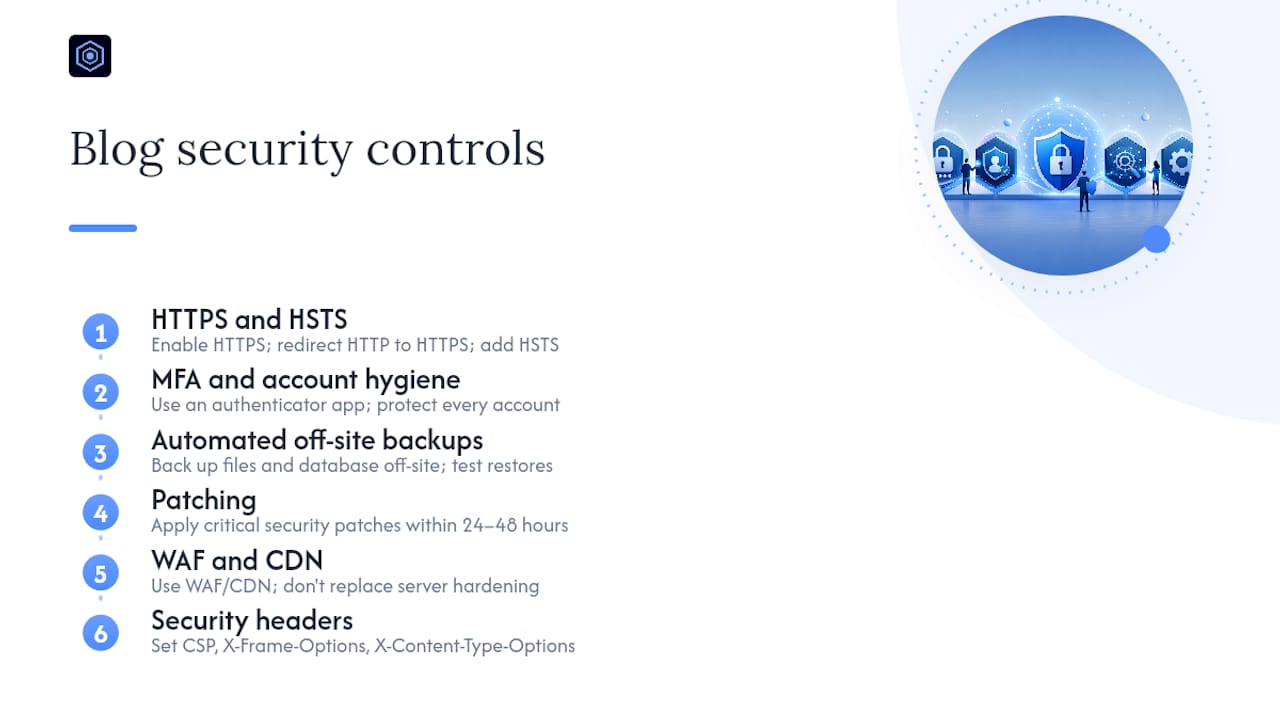
MFA and account hygiene. Protect every account that can publish, install plugins, or change settings, not just the primary admin. Use an authenticator app like Authy or Google Authenticator rather than SMS, which is vulnerable to SIM swapping. Pair this with a password manager (1Password, Bitwarden) so no two accounts ever share a password.
Automated off-site backups. Back up both your files and your database, not just one or the other. Daily backups suit an active blog; weekly is a minimum for a quiet one. Store copies somewhere physically separate from your host, such as a cloud storage bucket, and test the restore process rather than assuming the backup file is good.
Patching. Apply critical security patches within 24 to 48 hours of release. Test major updates on staging first when you can, but never skip a security patch to wait for a "safer" release. Take a backup immediately before any update in case something breaks.
WAF and CDN. A WAF filters malicious requests, like SQL injection attempts or known bot signatures, before they reach your server. Free tiers from Cloudflare or your hosting provider cover most small blogs. This is server-side protection working alongside plugins, not a replacement for server hardening, which stops OS-level and network attacks that plugins never see.
Security headers. Start with a Content Security Policy that restricts script sources, X-Frame-Options or frame-ancestors to block clickjacking, and X-Content-Type-Options: nosniff to stop MIME sniffing attacks. MDN's implementation guides rank these by impact so you fix the highest-value gaps first.
Input validation and third-party scripts. Never trust data coming from a browser. Sanitize every user input and escape output to block XSS and SQL injection. Audit every third-party script and plugin for necessity, and remove anything you can't explain the purpose of.
Pro Tip: If a plugin hasn't been updated in over a year, treat it as a liability regardless of how useful it seems. Abandoned code is exactly what automated scanners are built to find.
What Does Blog Maintenance Actually Cost in Time and Money?
Security isn't a project you finish. It's a schedule you keep.
- Daily (5 to 10 minutes): Check backup logs and scanner alerts.
- Weekly (20 to 30 minutes): Review plugin/theme updates and login activity.
- Monthly (1 to 2 hours): Apply non-critical updates, audit user accounts, test a backup restore.
- Quarterly (half a day): Full security header review, third-party script audit, and access permission cleanup.
Budget realistically. A free CDN/WAF tier and a password manager cost nothing beyond your time. Basic paid security tools and premium backup storage typically run $10 to $30 a month. Managed hosting with built-in security, patching, and monitoring runs roughly $25 to $100+ a month depending on traffic and features. If you're outgrowing shared hosting or handling sensitive user data, moving to managed or VPS hosting is worth it, but a VPS shifts server hardening onto you. Small monthly hosting spend is cheap compared to the hours lost recovering from a compromised site.
Why Do Blogs Get Attacked in the First Place?
Almost nobody targets your blog specifically. Automated bots scan the entire internet looking for unpatched CMS versions, exposed admin login pages, and weak or reused passwords, then exploit whatever they find.
Once in, attackers typically use blogs for:
- Defacement or vandalism.
- Spam injection and hidden SEO spam pages.
- Phishing page hosting.
- Cryptomining that quietly drains your server resources.
- Data theft or full account takeover.
Most attacks against small sites are opportunistic, driven by scanning bots rather than human attention. Low traffic or a niche topic offers zero protection. A scanner doesn't check your visitor count before probing for a vulnerable plugin.
What Do You Do If Your Blog Gets Hacked?
Speed and order matter here more than anything else.
- Put the site into maintenance mode immediately to stop further damage or spread.
- Change every credential tied to the site: hosting, CMS, domain registrar, and connected email accounts.
- Preserve logs and timestamps before you touch anything; this is your forensic evidence.
- Restore from your most recent clean, off-site backup, then scan it for malware before going live again.
- If no clean backup exists, audit every file manually and reinstall the CMS core, themes, and plugins from official sources.
- Identify what let the attacker in, whether that's a plugin, weak password, or unpatched core file, and remove or fix it.
- Rotate every API key and secret, force a password reset for all users, and notify affected users if their data was exposed.
Contact your host or a security professional if you can't confirm the attacker's access point. Confirming they're actually gone, not just quiet, is the step people skip most often, and it's the one that causes reinfection.
Blog Security Is a Process, Not a Product
Security experts consistently frame this as layered, ongoing operations rather than a single fix. OWASP's guidance treats HTTPS, MFA, backups, and patching as the baseline layer, with monitoring and audits running continuously on top.
Defense-in-depth means no single control has to be perfect. If a patch gets missed, MFA still blocks the login attempt. If a password leaks, the WAF still filters the exploit request. Layers compensate for each other's gaps.
Eleye, writing on governance-oriented security practices, draws on standards from OWASP, MDN, and security researcher Bruce Schneier's own analysis of third-party script risk to inform this table-stakes framing.
Logging, Monitoring, and Malware Scanning
You can't respond to an incident you never noticed. Logging is the record of what happened; monitoring is what tells you it's happening now.
At minimum, log login attempts (successful and failed), file changes, plugin installations, and admin-level configuration changes. Most CMS platforms support logging plugins or built-in audit trails, but the log is only useful if you actually review it. Set up alerts for anomalies: repeated failed logins from a single IP, unexpected admin account creation, or file modifications outside a deployment window.
Malware scanning should run on a schedule, not just after you suspect a problem. Weekly automated scans catch injected spam links, hidden redirects, and backdoor scripts before they show up in Google's Safe Browsing warnings or tank your search rankings. Many hosting providers bundle scanning into their security add-ons, and standalone scanners exist for CMS platforms that check core files against known-good checksums.
The combination matters more than any single tool. A scanner catches malware that's already there; monitoring catches the attack in progress; logs let you reconstruct what happened afterward. Skipping any one of the three leaves a blind spot. If you're running a blog as part of a small business, treat this log as your first line of evidence if you ever need to explain what happened to a customer, a host, or an insurer.
Building an Incident Response and Recovery Plan
A recovery plan written after you've been hacked is a plan you're writing under panic. Write it now, while you're calm and have time to think it through.
Your plan needs four things: who's responsible for what, what "urgent" actions come first, where your clean backups live, and who you contact if you're in over your head (your host's security team, a freelance security consultant, or both). Write down your hosting provider's support contact, your domain registrar's emergency process, and where your off-site backups are stored, all in one document you can access even if your blog itself is down.
Define your response triggers ahead of time. Defacement is obvious. Slow site performance, unexpected outbound traffic, or a sudden spike in support emails about spam content are quieter signals that deserve the same urgency.
Practice matters more than most people assume. Once a year, run through your plan as if it were real: locate the backup, confirm you can log into your host and registrar without your normal saved passwords, and time how long the whole sequence takes. If it takes you two hours to find your own backup files during a drill, that's two hours you don't have during a real breach. A plan that only exists on paper isn't much better than no plan at all.
Regular Security Audits and Vulnerability Scanning
An audit is different from a scan. A scanner checks for known vulnerabilities automatically; an audit is a deliberate, periodic review of your entire setup against a checklist.
Quarterly, walk through your plugin list and remove anything unused. Check that your CMS core, themes, and plugins are current. Review your user accounts against the RBAC principle covered below, and confirm nobody has access they no longer need. Test your security headers using a free tool like the Mozilla HTTP Observatory, and re-check your backup restore process.
Vulnerability scanning fills the gap between audits. Automated tools scan your site's code and configuration against databases of known CVEs (Common Vulnerabilities and Exposures) affecting your specific CMS, theme, and plugin versions. Some hosting providers include this as a standard feature; standalone scanners exist for most major CMS platforms as well.
The two together catch different failure modes. A scanner tells you a specific plugin version has a known SQL injection flaw. An audit tells you that you're still running a theme nobody has touched in three years, and nobody remembers why it's active. Neither replaces the other, and skipping the manual audit in favor of "the scanner will catch it" is how outdated, unused code lingers for years without anyone noticing.
Role-Based Access Control and Least Privilege
Every account on your blog should have exactly the access it needs and nothing more. This is the principle of least privilege, and it's one of the most commonly ignored controls on small blogs specifically because it feels like unnecessary overhead until something goes wrong.
Most CMS platforms support role-based access control (RBAC) out of the box: administrator, editor, author, contributor, and subscriber roles each carry different permissions. A guest blogger who only writes posts does not need admin access to plugins or site settings. A part-time social media manager scheduling posts does not need the ability to install new themes.
Audit these roles at least quarterly. It's common to find former contractors, past employees, or old collaborators still holding admin credentials months after they stopped working with you. Each one of those accounts is a door an attacker doesn't need to break down, they just need to guess or find one weak password among however many accounts you've accumulated over time.
If you run a small business blog with multiple contributors, RBAC becomes even more important. A compromised contributor account with limited permissions does limited damage. A compromised contributor account with full admin rights can take down the entire site. Least privilege doesn't slow your team down if it's set up correctly. It just means each person's account matches what their job actually requires.
Secure Server and Database Configuration
Your CMS sits on top of a server and a database, and both need their own hardening independent of whatever plugins you install.
On the server side, disable directory listing so attackers can't browse your file structure looking for exposed configuration files. Set correct file permissions: most CMS files should not be writable by the web server process beyond what's strictly necessary for uploads and updates. Disable unused services and ports, and keep the underlying operating system patched with the same urgency as your CMS itself.
Database security starts with credentials. Use a unique, complex password for your database user, not the CMS admin password reused. Restrict database access to only the application that needs it, and disable remote database connections unless you specifically require them for a legitimate integration.
Hardening the hosting environment before layering plugins is the practical order of operations experienced administrators recommend. Plugins operate at the application layer; they can't fix a misconfigured server or an exposed database port. If you're on shared or managed hosting, much of this is handled for you, but it's worth confirming with your provider rather than assuming.
Secure Coding Practices for Blogging Platforms
If you write custom code for your blog, whether a custom theme, a small plugin, or a snippet pasted into a functions file, the same secure coding discipline applies that protects any web application.
Never trust input from a form, URL parameter, or comment field. Sanitize everything before it touches your database, and escape output before it renders on the page, which is the core defense against cross-site scripting and SQL injection. Use your CMS platform's built-in sanitization and escaping functions rather than writing your own from scratch. WordPress, for example, provides functions specifically for this purpose, and skipping them to "save time" is one of the most common sources of custom-code vulnerabilities.
Avoid eval() and similarly unsafe functions that execute arbitrary code. Never hardcode credentials or API keys directly into theme or plugin files, especially if that code ever ends up in a public repository. Keep custom code in version control so you can track exactly what changed and roll back if something introduces a vulnerability.
If you're not writing code yourself, this still applies to what you install. Every plugin and theme is someone else's code running with access to your site. Favor actively maintained plugins with a track record of quick security patches over abandoned ones with more features. A feature you don't need isn't worth the vulnerability it might introduce.
Stopping Brute Force Attacks on Login Pages
Brute force attacks are simple, automated, and relentless: a bot tries thousands of username and password combinations against your login page until one works.

Rate limiting is your first defense. Configure your login page to lock out or delay repeated failed attempts from the same IP address after a small number of tries, typically three to five. This alone stops the vast majority of automated credential-stuffing attempts without inconveniencing legitimate users who occasionally mistype a password.
CAPTCHA adds a second layer by forcing a human-verification step, which most bots can't reliably solve. Add it to your login page, not just your contact form, since login pages are the more valuable target. Renaming your default login URL away from something predictable adds a small amount of friction that filters out the laziest automated scans, though it should never be your only defense.
Combine rate limiting and CAPTCHA with MFA, and a stolen or guessed password stops being enough to get an attacker into your account. This is the same layered logic that runs through every control in this guide: no single measure needs to be perfect if the ones around it compensate.
Get a Governance-Grade View of Your Blog's Security Layers
Aetherpulse builds evidence infrastructure for regulated financial services firms that need to prove, not just claim, that their automated systems are governed. The same discipline that shapes that work, layered defenses, documented evidence, and continuous rather than one-time verification, is exactly what small blog owners need when they're deciding what to prioritize first.
If you maintain a blog for a small business and eventually need to demonstrate to a client, partner, or insurer that you take data protection seriously, the habits covered in this guide, logging, audits, RBAC, and tested backups, are the same fundamentals that governance-focused tools like Aetherpulse are built around at enterprise scale. Explore Aetherpulse's approach to layered security governance if you want to see how these principles scale beyond a single blog into full audit-ready evidence for regulated systems.
Frequently Asked Questions
What is the single most important blog security step? Enabling MFA on every administrative account usually delivers the biggest immediate reduction in risk, since it blocks the most common attack path: stolen or guessed passwords.
Do small blogs really get hacked, or is this overkill for low-traffic sites? Automated bots scan the entire internet for vulnerable software regardless of traffic. A niche blog with ten monthly visitors gets scanned just as often as a high-traffic one.
How often should I back up my blog? Daily backups suit an actively updated blog; weekly is a reasonable minimum for a quieter one. Either way, test the restore process periodically, not just the backup schedule.
Is a free WAF like Cloudflare enough, or do I need a paid plan? Free-tier WAF and CDN protection covers most small blogs adequately. Paid tiers add faster response times and more granular rules, worth considering as traffic or sensitivity grows.
Should I move off shared hosting for better security? Move to managed or VPS hosting once you're handling sensitive user data, running custom code, or outgrowing shared hosting's resource limits, but understand that a VPS shifts server hardening responsibility onto you.
Sources
Recommended
Working on Article 26 readiness, deployer-side governance evidence, or AI agent risk at a regulated firm? We'd value 15 minutes of your perspective.
Start a conversation